 Raisedash
Turn one brief into a complete training program.
Training Studio creates a structured draft with modules, lessons, quizzes, and optional videos. You approve the outline before generation and review the program before publishing.
Training brief
Winter operations refresher for regional drivers
The problem
Build fleet-specific training without starting from a blank page
Capture what your team knows and turn it into a program drivers can actually complete.
Your team knows how work should be done, but that knowledge is often spread across policies, presentations, and experienced employees.
Turning that material into a useful program means deciding what to teach, organizing the sequence, writing every lesson, and building fair quiz questions. Busy safety and operations teams often postpone the work or rely on generic content instead.
Training Studio gives you a strong first draft without taking control away from your team. You review the structure, request changes, edit the finished content, and decide when it is ready for drivers.
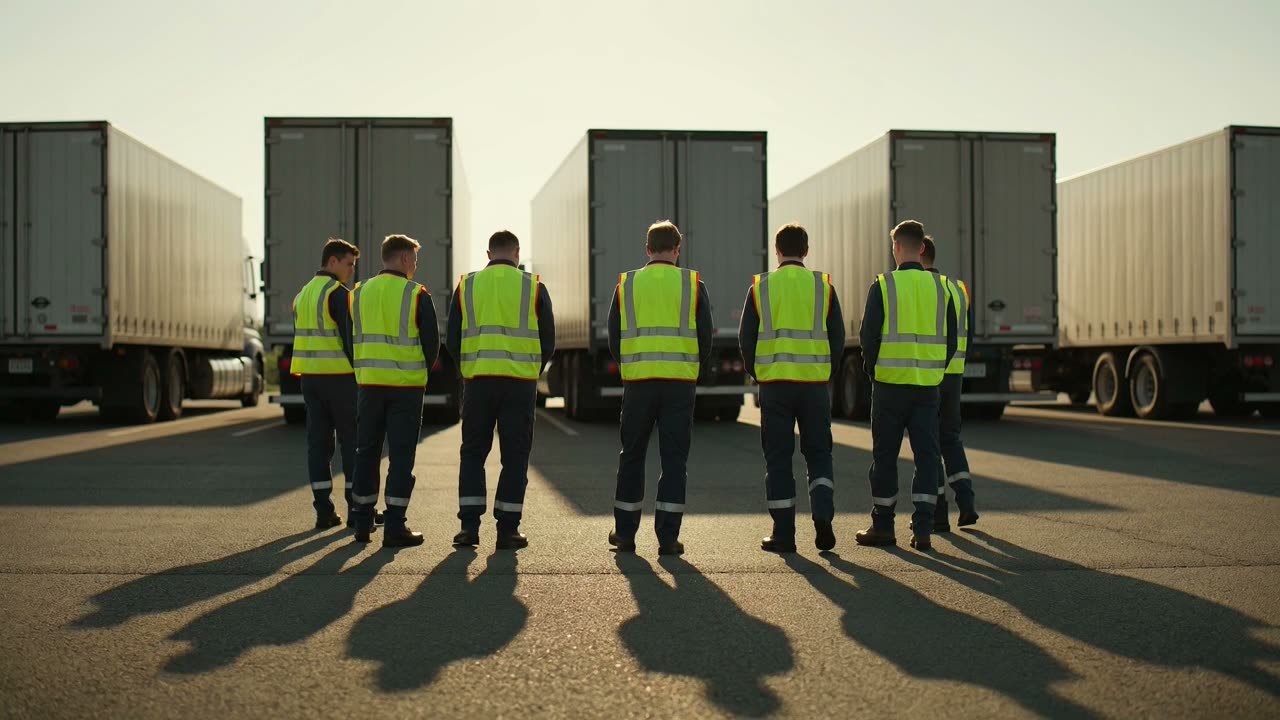
Orientation time is limited. A clear program helps drivers prepare before they arrive.
How it works
A brief becomes a reviewable draft
- 1
Write a brief
Describe the topic, audience, and details that matter to your operation. Optional questions help fill in anything missing.
- 2
Add current sources when needed
When research is enabled, Raisedash adds current sources and citations to the outline for you to review.
- 3
Review the full outline
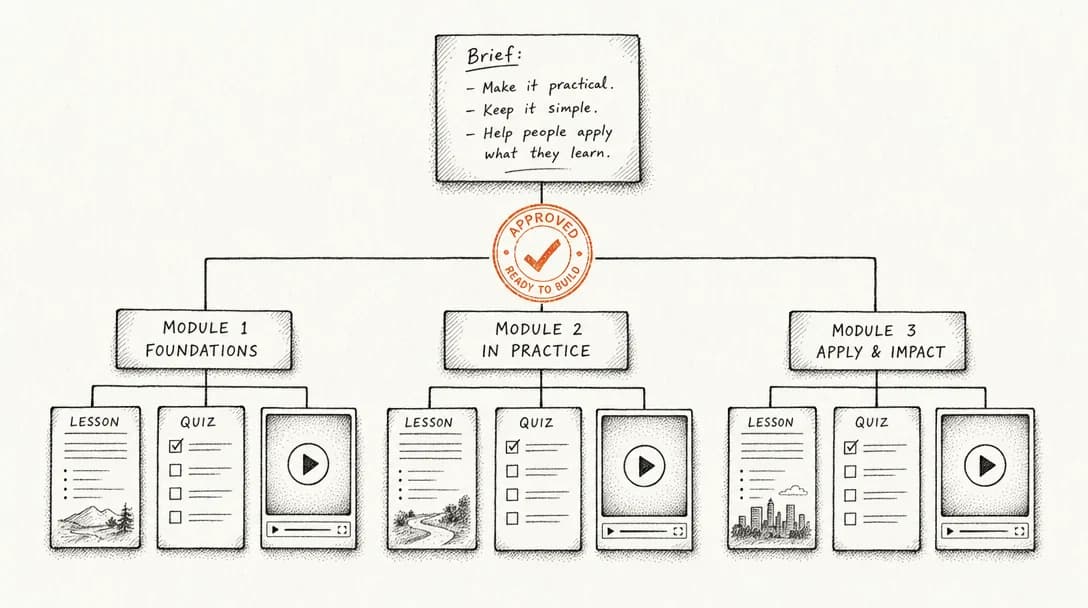
See every proposed module, lesson, quiz, and video. Rename items, remove them, or request changes in plain language. Nothing is generated until you approve the outline.
- 4
Generate the draft program
Raisedash builds the approved lessons and quizzes in the course builder. Included videos render in the background and attach automatically.
- 5
Edit, publish, assign
The result is an editable draft. Review any lesson, then publish and assign the program when it is ready.
The approval gate
Generated does not mean unreviewed
Your team approves the structure before generation and the finished content before publishing.
Before you approve
- The full outline, visible item by item
- Include or exclude any lesson, quiz, or video
- Free-text 'ask for changes' redesigns the plan
- A live count of exactly what will be generated
After generation
- A normal draft training in the standard builder
- Edit any lesson or question
- Publish only when you're satisfied
- Drivers only ever see what you chose to publish
Human review is essential for fleet-specific training. Our buyer's guide to driver onboarding software explains what to look for when evaluating content controls, assignments, and training records.
Built in
Brief coach
Optional questions sharpen the brief before any generation starts.
Live web research
Add current, cited sources to the outline before you approve it.
Editable outline
Rename modules and lessons. The approved outline controls what gets generated.
Include/exclude toggles
Drop any lesson, quiz, or video from the plan with one switch.
Plain-language revisions
Describe what should change and receive an updated outline to review.
Quizzes built from the lessons
Create questions based on the lesson content and set a passing score.
Videos included
Video lessons render in the background and are added when ready.
Lands in your course builder
Edit, assign, track, and certify it like any other Raisedash training.
Part of the platform
One brief, a whole program
A generated program works like any other Raisedash training. Assign it to one driver or an incoming class, watch progress by module, and keep each completion and quiz attempt in the driver's record.
Send it out through pre-arrival orientation before day one. Completions then appear automatically in training evidence.
FAQ
Training program generation questions
What does the AI training program builder actually produce?
A complete draft training: modules in a logical order, text lessons written for drivers, quizzes with pass scores, and optional narrated videos. It lands in the normal Raisedash course builder as a draft you can edit.
Does anything reach drivers without human review?
No. First, you review and approve the outline item by item. The generated program then remains a draft until an admin reviews and publishes it.
Can it use our fleet's own policies?
Yes. Add your equipment, lanes, policies, and operating rules to the brief. The optional questions help capture important details, and you can correct the outline before generation.
What if the outline isn't right?
Describe the change in plain language, such as 'add a module on winter chaining' or 'make the program shorter.' Raisedash redesigns the outline around your feedback, and you can repeat the review until it is ready.
Does it create roleplays or simulations too?
Not today. Training Studio generates lessons, quizzes, and videos. Voice roleplays and interactive simulations are authored separately and can be added to any training, including a generated one.
How is a generated program tracked?
Exactly like a hand-built program. Assignments, module locking, quiz results, completions, and certificates all work the same way.
Explore the generators
Four ways Raisedash generates training
AI training video generator
Describe a topic and get a finished, narrated training video.
Learn moreAI voice roleplay
Drivers practice real conversations out loud and get scored.
Learn moreInteractive simulations
Tap-through practice replicas of the apps drivers must use.
Learn moreEverything generated here is assigned, tracked, and recorded like any other Raisedash training. See training evidence and driver experience.