 Raisedash
 Shield · Free Chrome extension
Freight fraud starts with one click. Shield warns you first.
For everyone in your company who works on the web all day: dispatch, safety, billing, accounting and the owner. Thieves only need one of them to click. Shield warns when a brand-new site asks for a password or documents, when a “rate confirmation” is really a program, and when a page tries to make you run a command.

Cargo theft now starts on a computer
Thieves don’t need to break into a trailer anymore. They steal a login or get a program onto an office computer, then book loads in your name, change where you get paid, or send a load to the wrong place.
$725M
Nearly that much was lost to cargo theft in the US and Canada in 2025, up 60% from 2024.
CargoNet, quoted by the FBI
$273,990
The average loss per theft in 2025, up 36% in a year.
CargoNet, quoted by the FBI
25%
Of cargo thefts in 2023 were done with fraud, like stolen identities and fake credentials. In 2018 it was 2.2%.
ATRI
“Once clicked, the targeted user is redirected to a phishing website imitating the legitimate one. The phishing website hosts a malicious executable file…”
That click, that sign-in page and that file are the moments Shield watches.
Where Shield steps in
- loadboard-signin.com/login
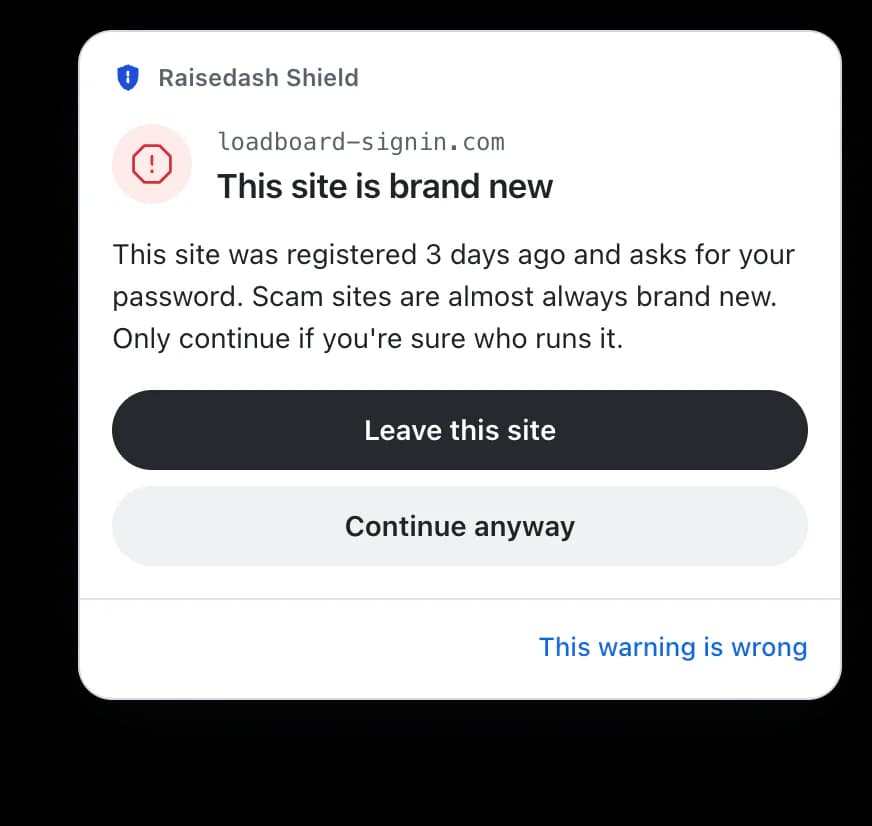
Fake sign-in pages
When a page asks for your password, we check when the site was registered. Real load boards and broker portals have been around for years. Phishing sites are usually days old.
- carrier-compliance-check.com/review
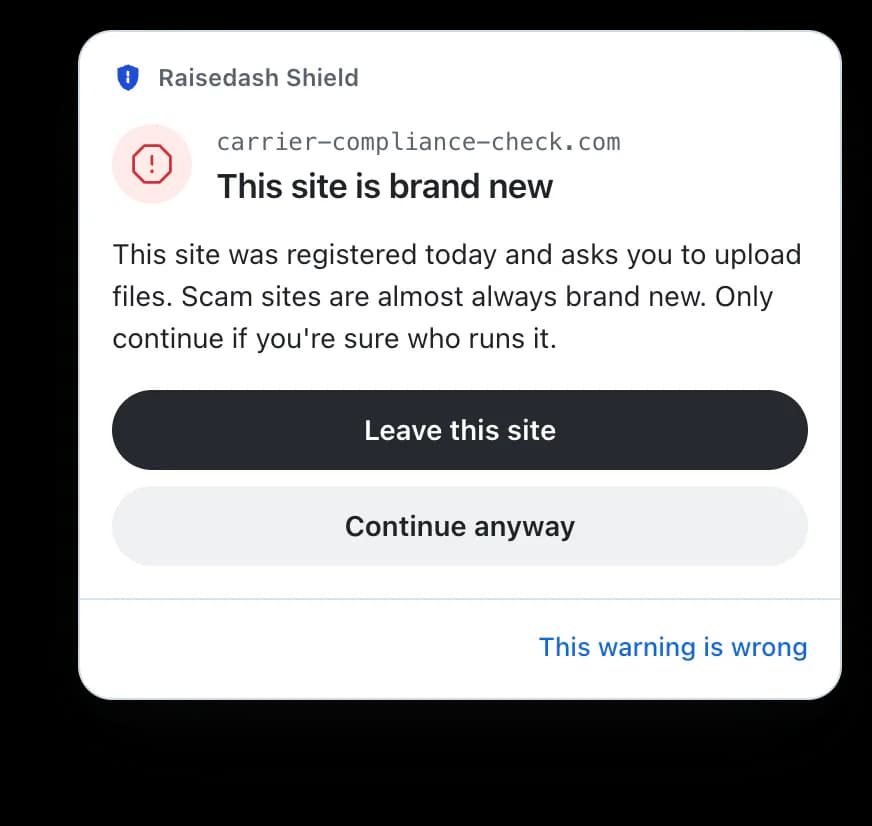
Requests for your documents
Your CDL, insurance certificate and voided check get a warning first when the site asking for them is brand new.
- ratecon-portal.com/rc/48213
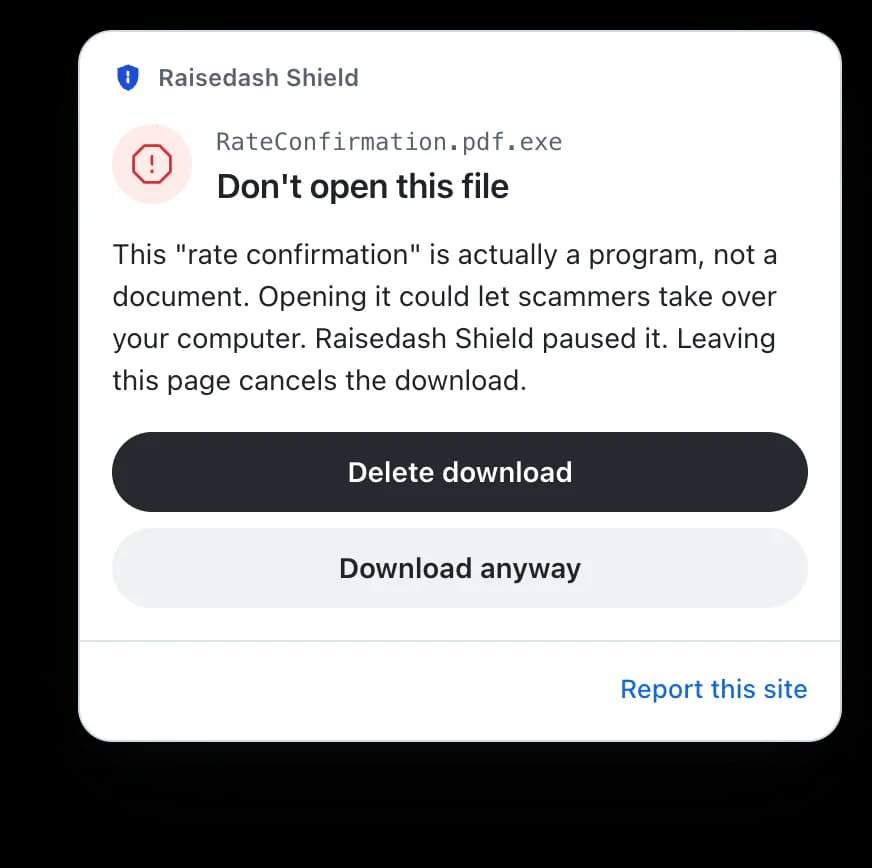
Fake rate confirmations
A “RateConfirmation.pdf.exe” is a program, not a document. We pause it, and remote-access installers, until you decide.
- load-tracking-verify.com/verify
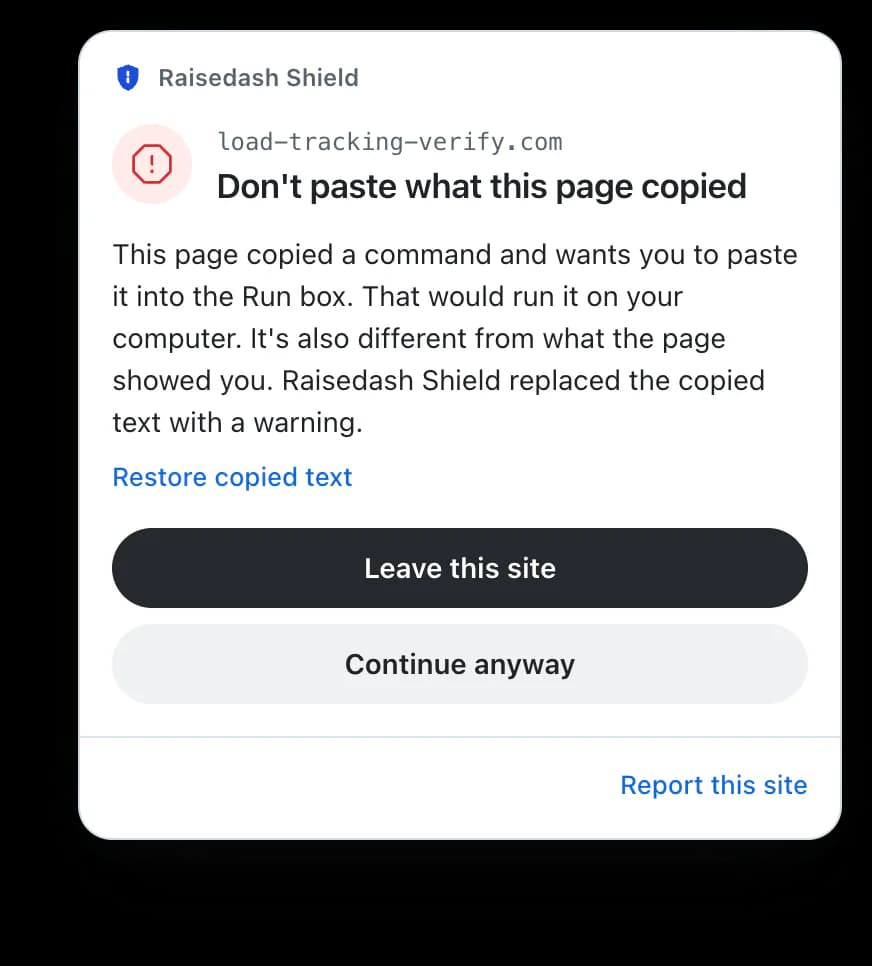
Fake “verify you’re human” checks
When a page copies a command and tells you to press Windows + R and paste, we swap it for a warning. You can put it back.
Quiet until it matters
On every other site you won’t hear from us. A warning sits in the corner and never blocks the page. You always decide.
- Free, with no account. Install it and it’s working.
- We never read your passwords or what’s inside your files.
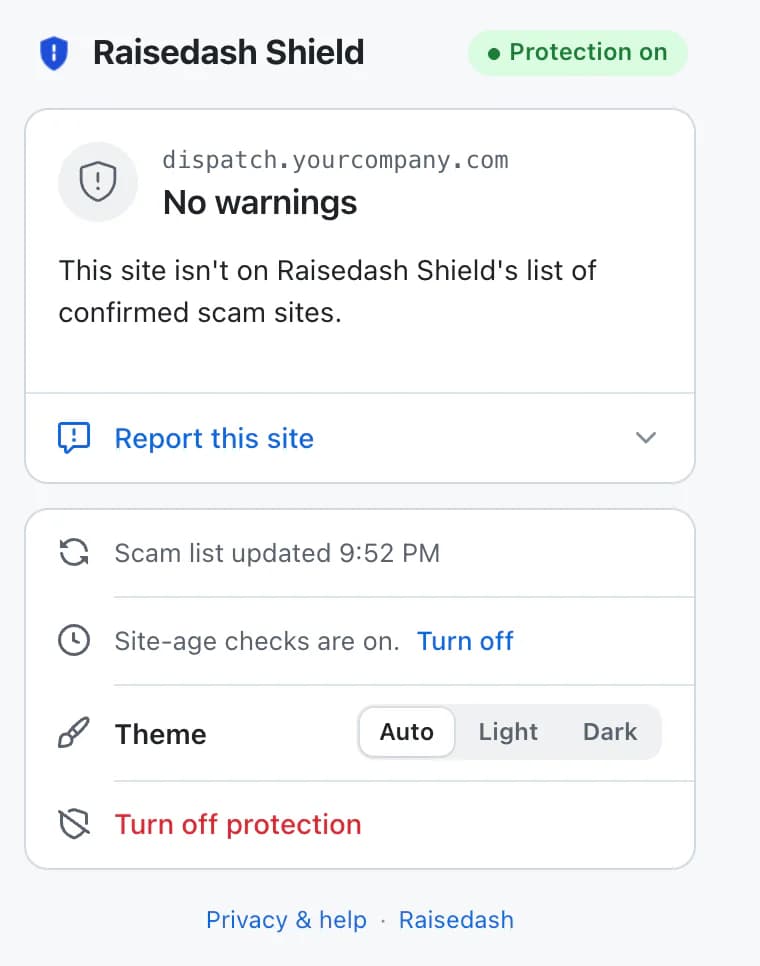
- Sites on our scam list were reported by a carrier and confirmed by a person. Your browser gets the list about every 30 minutes.
- Site-age checks can be turned off any time in the menu.
Questions
Who is it for?
Everyone at your company who works in Chrome on a computer: dispatchers, safety and compliance, billing and accounting, recruiting, and owners. Thieves go after whichever login they need, whether that’s the load board, company email, the factoring portal or the bank, so put it on every office computer. It runs in Chrome on a computer, not on phones.
What leaves my computer?
The scam-list check, the download pause and the clipboard protection work on your computer and send nothing about the sites you visit. Shield never reads what you type into a password field or the contents of a downloaded file. Site-age checks are the one thing that sends something: only when a page asks for a password or a file upload, or after Shield stops a download or a copied command on it, Shield sends that site’s hostname (never the rest of the address, what you type or page contents) so it can tell how old the site is. They are on from install and can be turned off any time in the shield’s menu. The scam list is downloaded about every 30 minutes; the update service sees ordinary connection details such as your IP address. A report is sent only when you press Send report or This warning is wrong.
What can’t it do?
Shield cannot catch every scam, verify a carrier, broker or load, or guarantee that a page is safe. It does not replace antivirus software or your existing carrier-verification process. Warnings never block a site; you can always continue. Some small downloads finish before they can be paused. A page can sometimes copy a command before an embedded frame can be checked. Confirm unexpected password, document, payment or download requests by phone, using a number you already have.
Add Shield to Chrome
Free, with no account. It starts working the moment it’s installed.
Add to Chrome, it’s freeRaisedash Shield is operated by LoadHunter Inc. References to freight services describe detection coverage and do not imply affiliation or endorsement.